
Smart  Scheduling forHospitality
  Teams
Teams
Build the week in minutes, publish it to every phone, and let swaps and open shifts sort themselves out.
Swap Approved
Igor → Marija · Tue shift
just now
Shift Accepted
Tamara K. · Morning shift
2 min ago
Week coverage
94%All shifts covered
Schedule Published
Next week is live
5 min ago




How it works
Three steps from chaos to a fully covered week.
Build your schedule
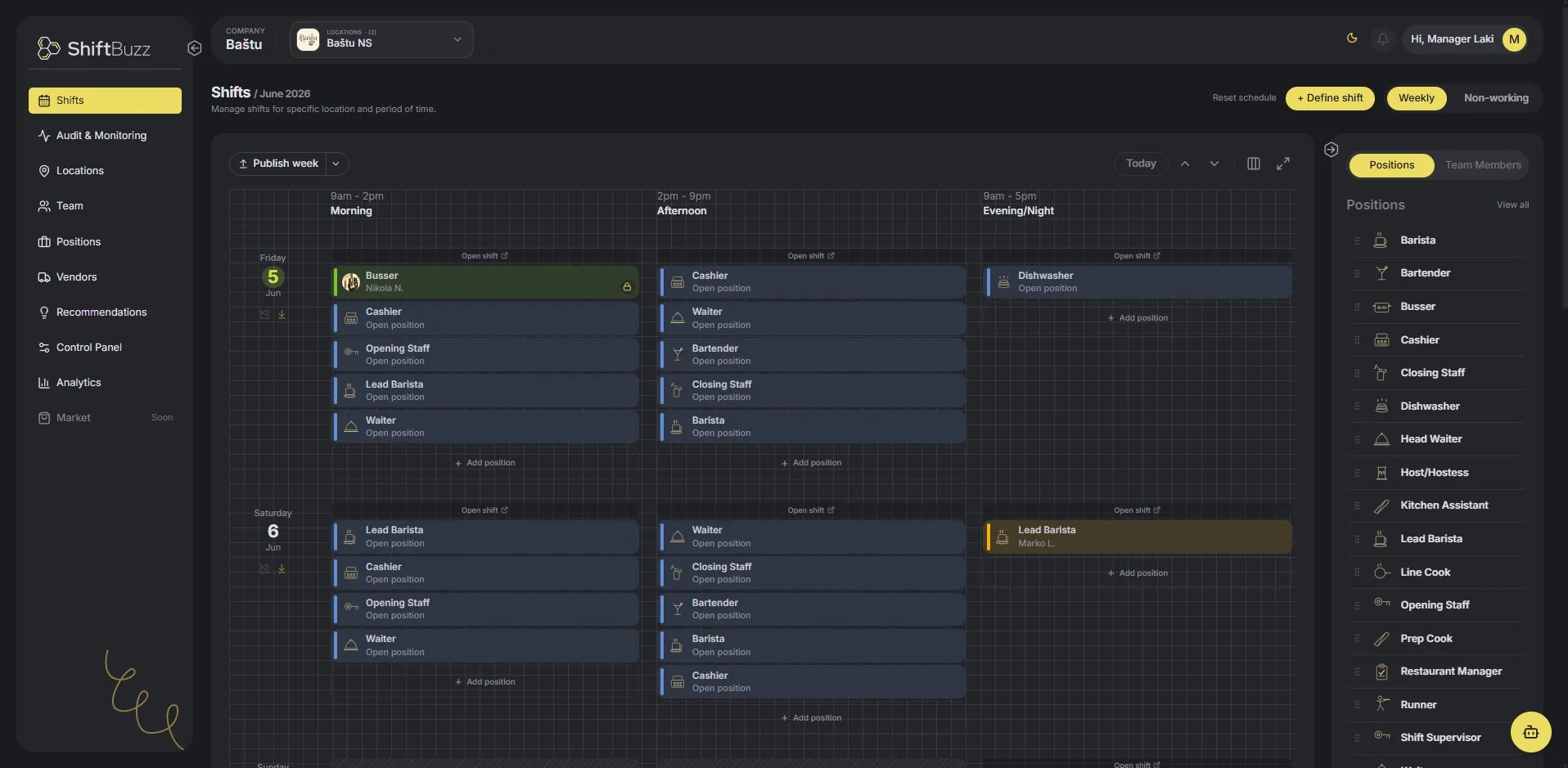
Drag and drop shifts onto your team. Instantly see gaps in coverage, conflicts, and overtime before you publish.
-
Drag & drop interface -
Real-time coverage view -
Conflict detection
Publish & notify
One click sends the schedule to everyone's phone. Your team gets a push notification with their shifts for the week.
-
Instant push notifications -
iOS & Android app -
Personal shift lists
Manage on the fly
Staff request swaps, managers approve in seconds. Open shifts are broadcast to your team. First to claim, gets it.
-
Swap requests & approvals -
Open shifts -
Live coverage tracker
Four things that take the week off your hands

Scheduling / 01 of 04
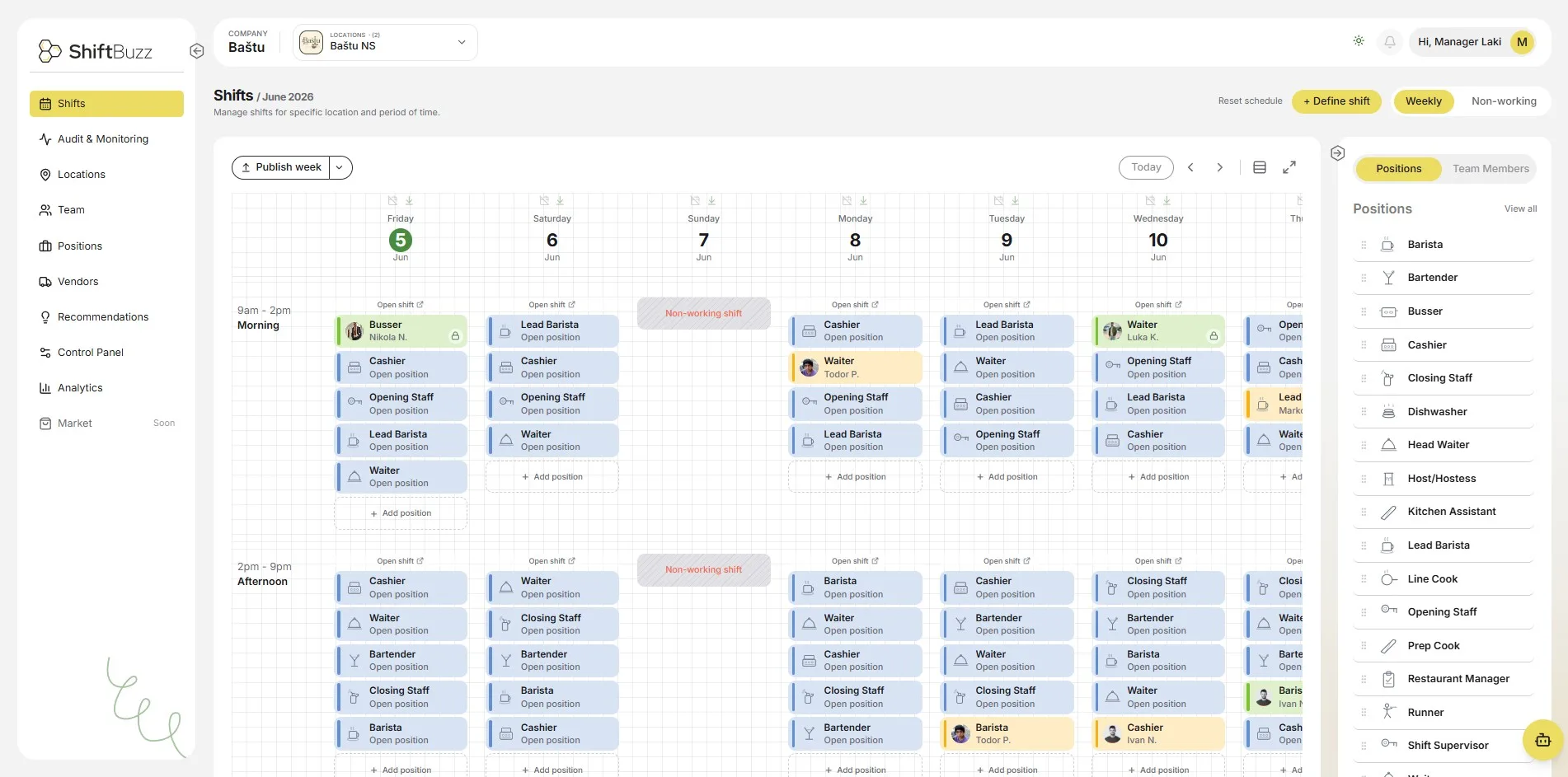
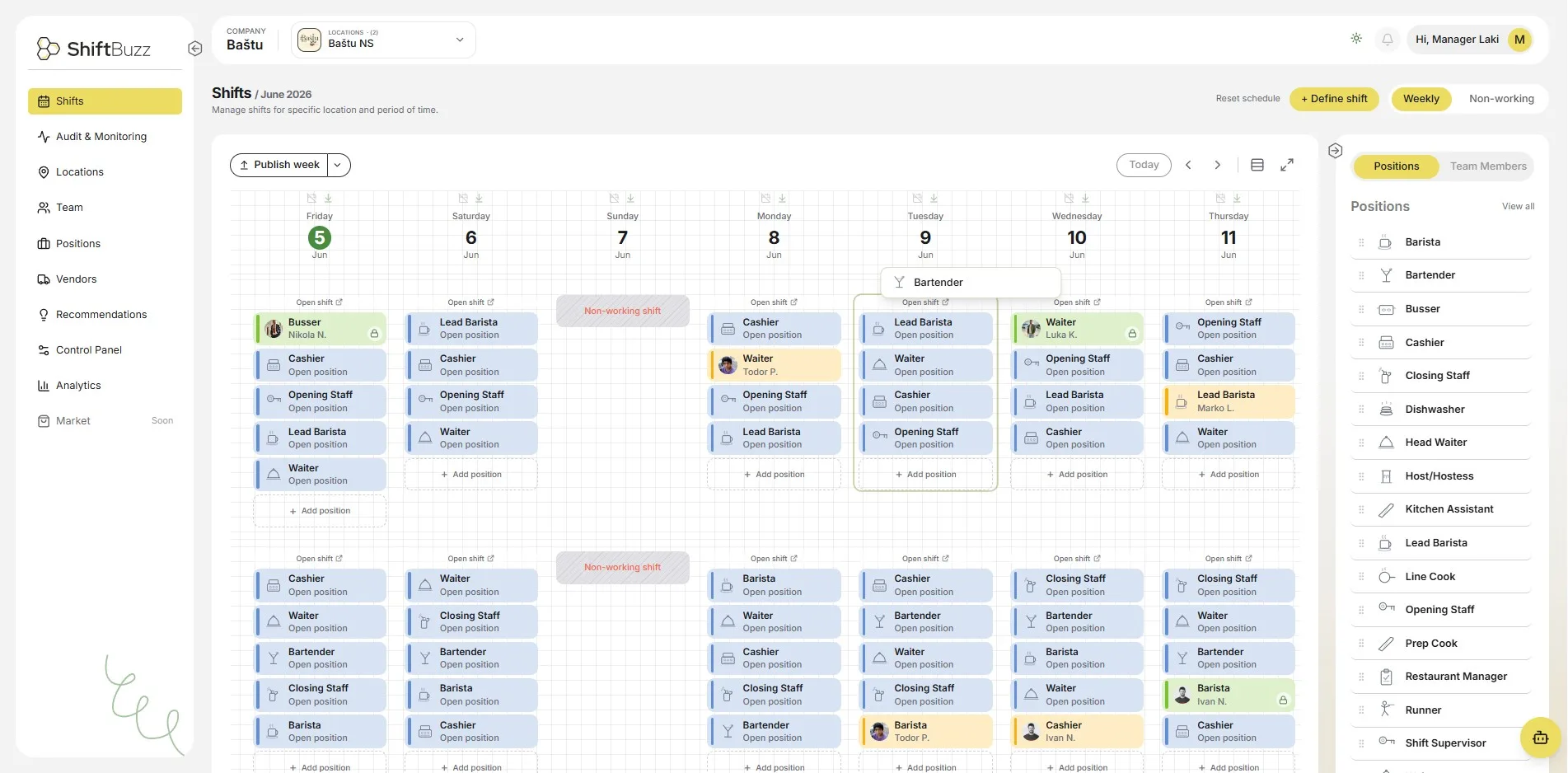
Build the week by dragging, not typing
Drop people onto positions and the week takes shape in front of you. Publish once and every phone gets it at the same time.
Visual week and day views Colour coded by role Conflict detection

Open shifts / 02 of 04
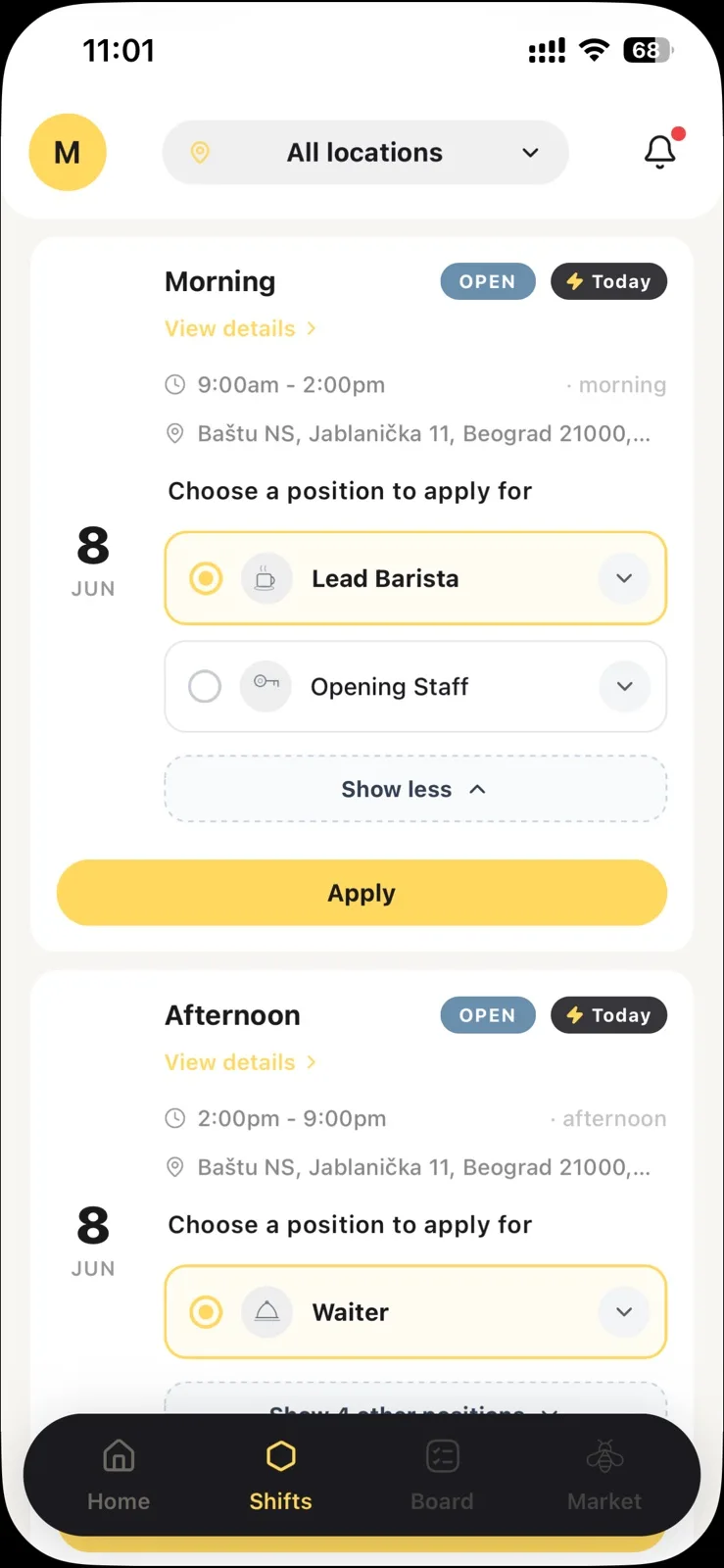
A cancelled shift fills itself
Post the gap and qualified staff see it instantly. First to claim it takes it. No group chat, no calling around at 7am.
Posted to qualified staff only Claim from the phone Manager approval optional

Staff app / 03 of 04
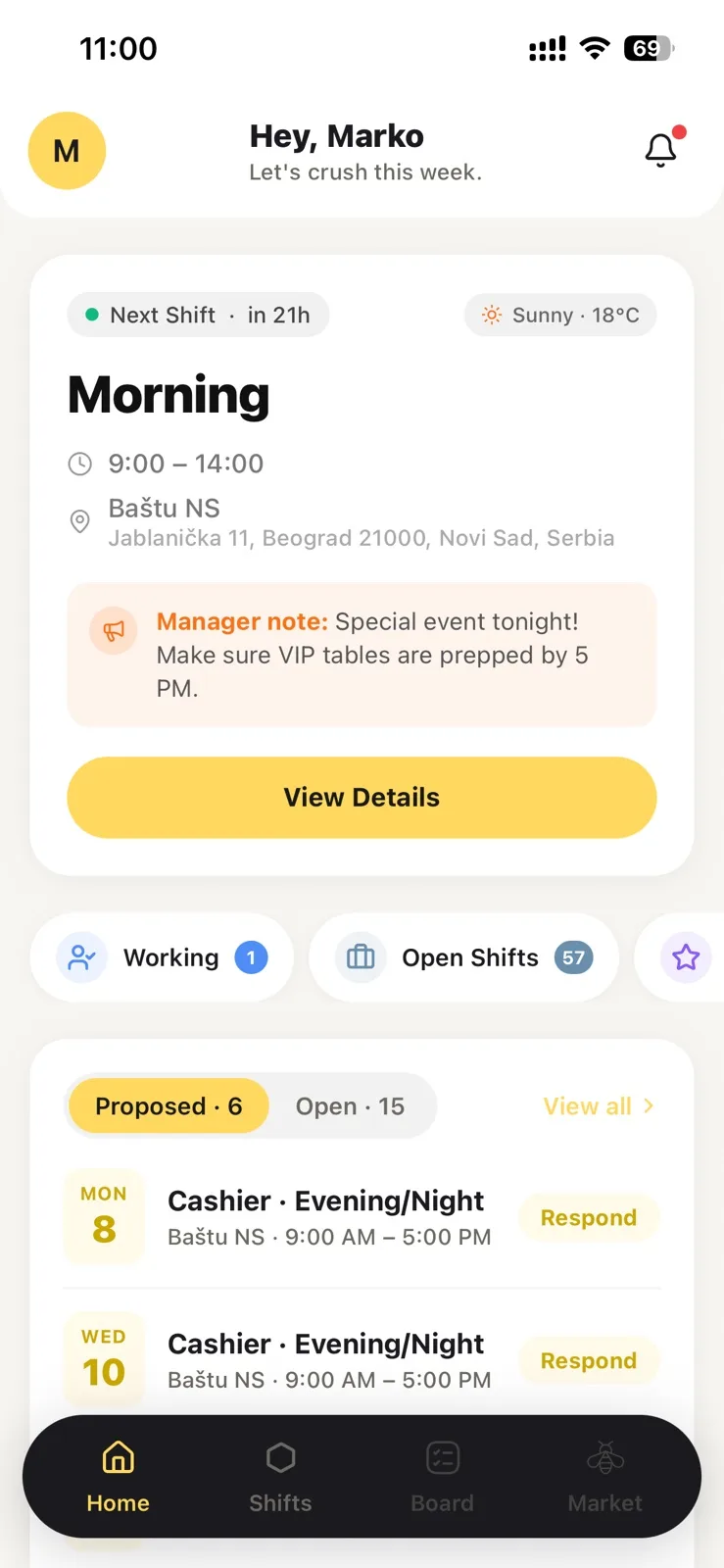
Your team already has it on them
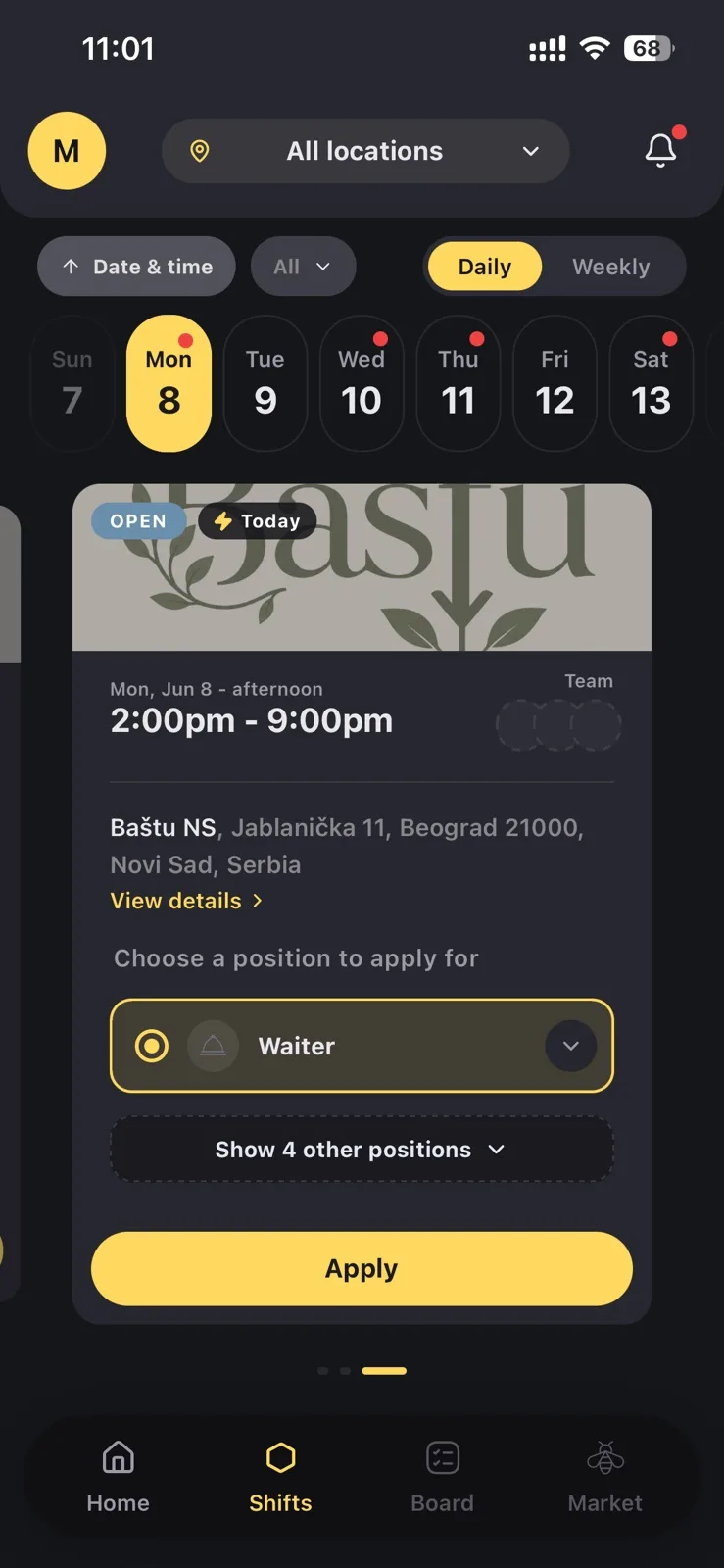
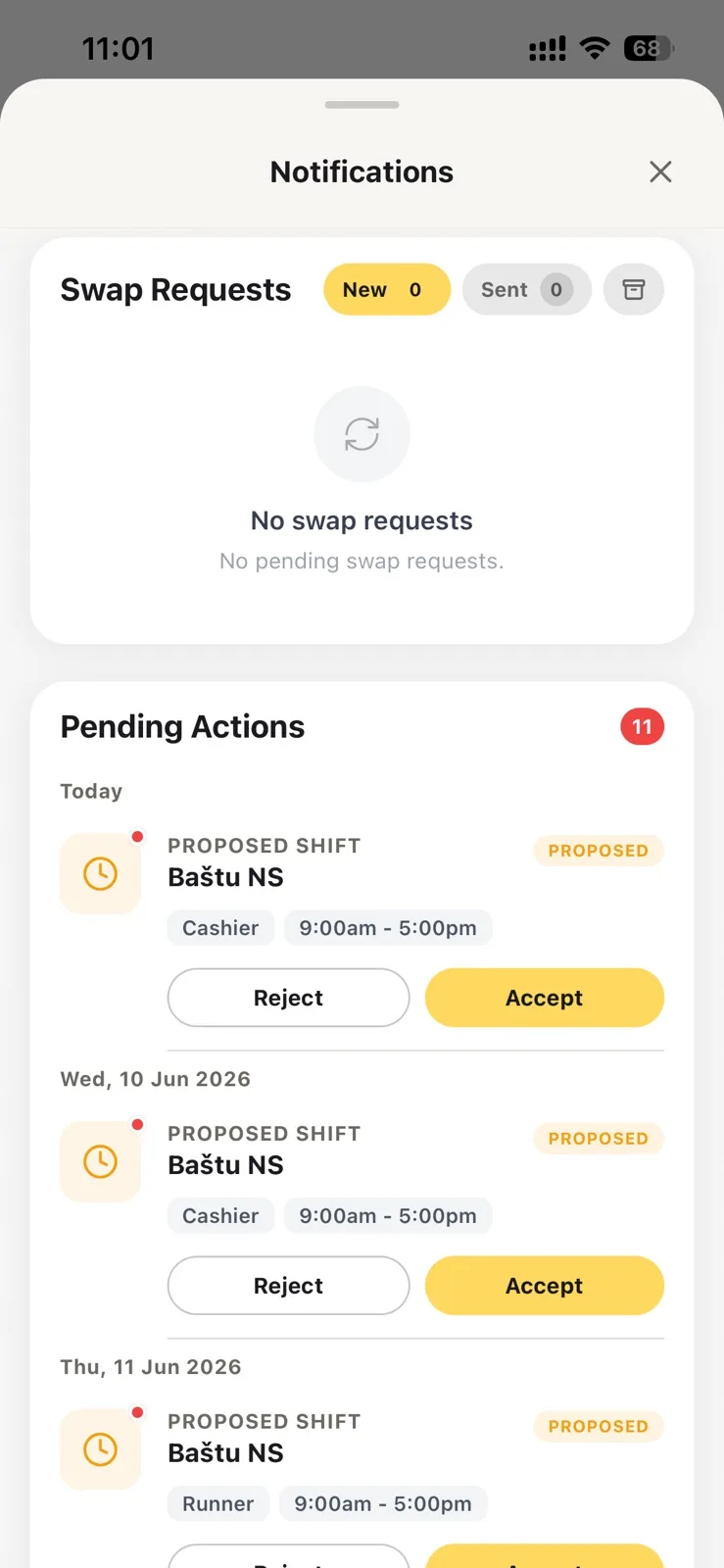
Everyone sees their own week, accepts proposed shifts, and asks for swaps from their phone. iOS and Android.
Own schedule at a glance Swap requests in a tap Push when the week is published

AI and reports / 04 of 04
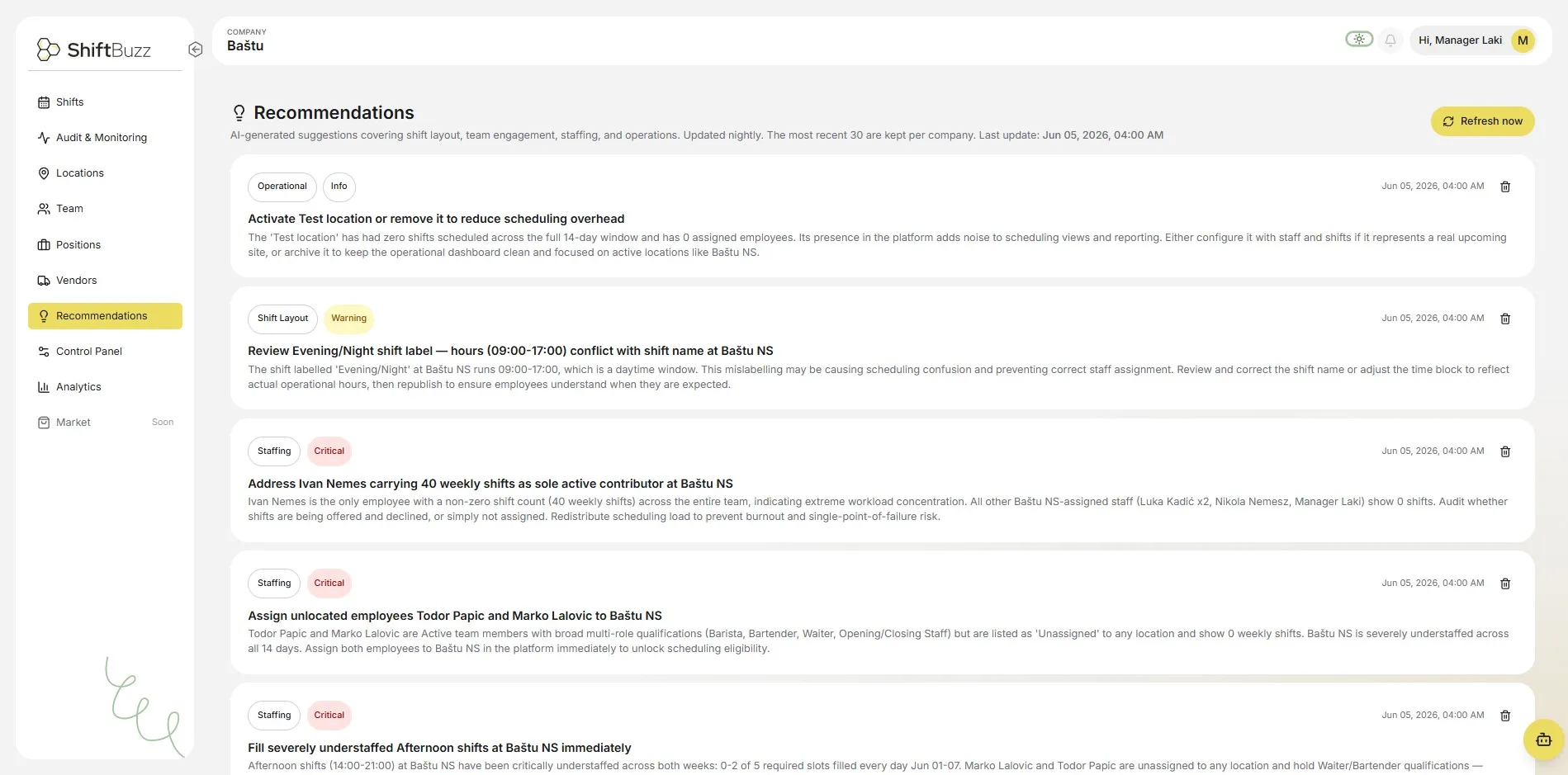
Someone reads the week for you
Every night ShiftBuzz reviews coverage and tells you what is about to go wrong. Exports go out to HQ in a click.
Nightly coverage check Labour cost per location CSV and PDF exports
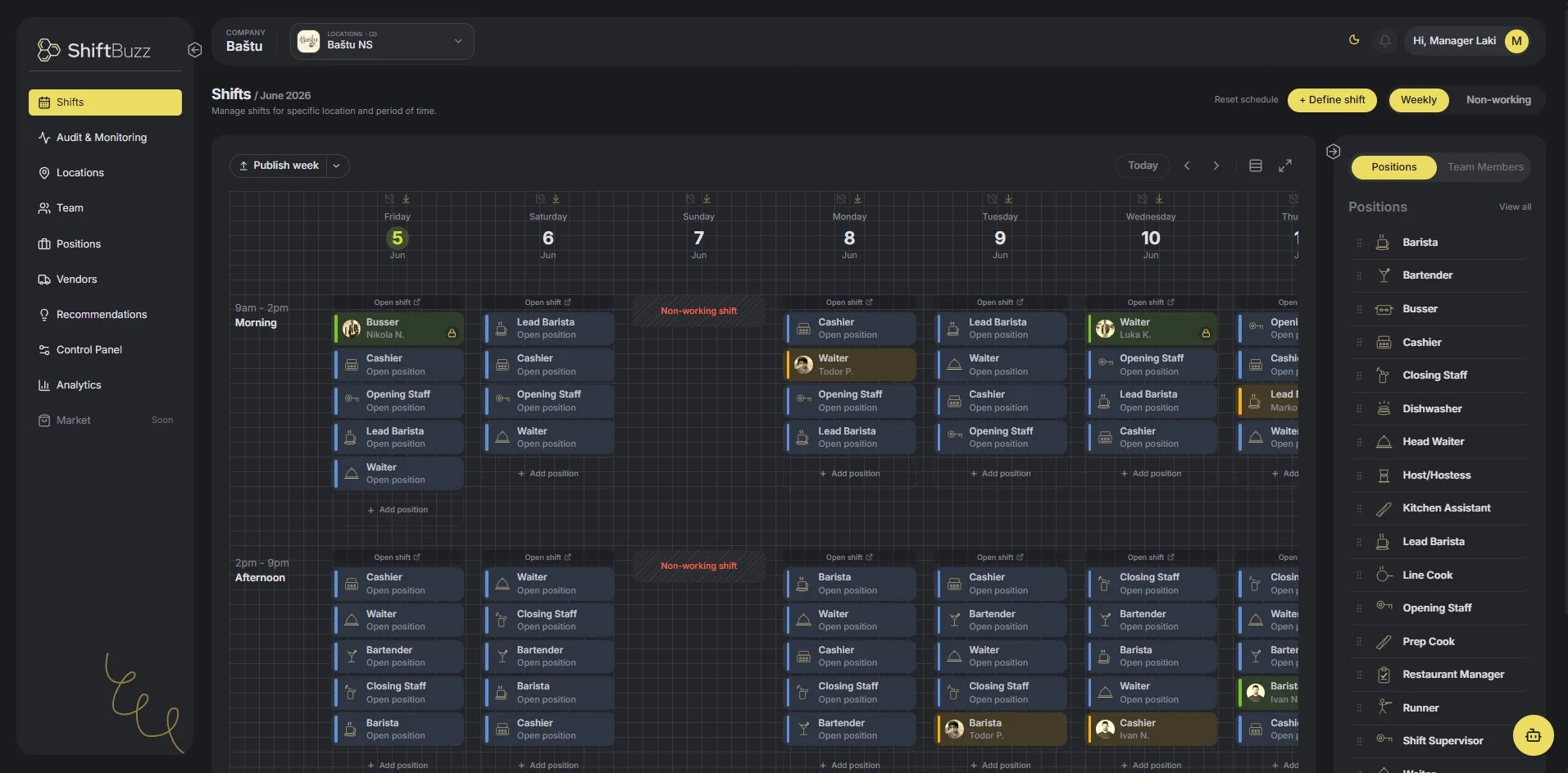
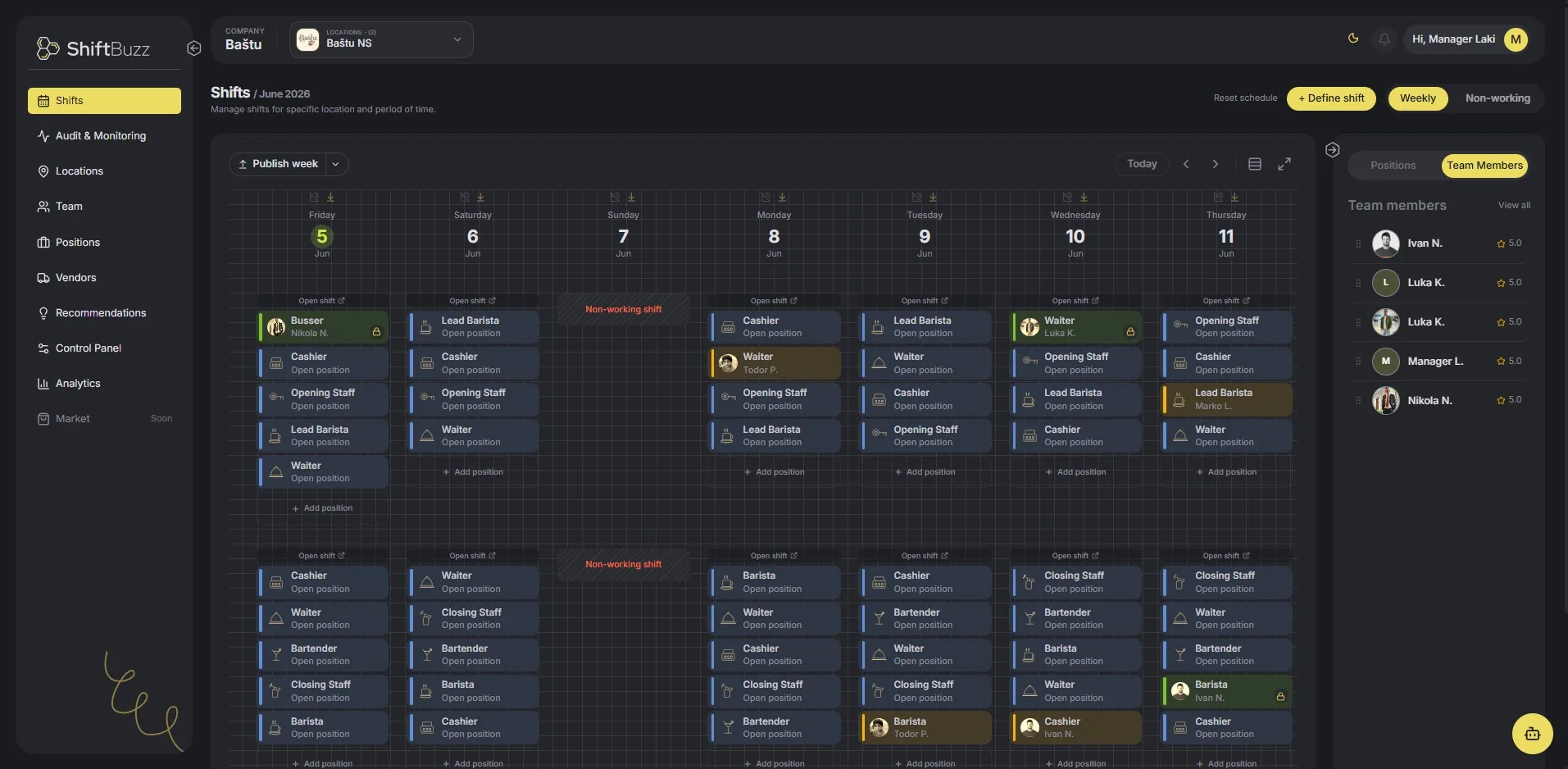
The screen you'll live in
Drag shifts onto people. Gaps, conflicts and overtime show up before anyone gets a notification.
Start free. Pay when you grow.
Free forever for up to 8 people at one location. No card, no time limit.
Free
€0
forever · up to 8 users
One location Basic scheduling Shift swaps Mobile app (iOS & Android)
Starter +
€49
per month · up to 30 users
Smart scheduling Open shifts Basic analytics Email support
Premium Growth
€99
per month · unlimited users
Multiple locations Advanced reports AI suggestions Priority support
Prices exclude VAT. Compare all plans

Everything you need to know
Still stuck? Write to us and a person answers, usually the same day.
Contact support 01 Is ShiftBuzz really free for small teams?
Yes. The Free plan is free forever for up to 8 users at a single location. No credit card required, no time limits.
02 Can my staff use ShiftBuzz on their phones?
Absolutely. ShiftBuzz has native iOS and Android apps. Staff can view their shifts, request swaps, claim open shifts, and receive push notifications in real time.
03 How do open shifts work?
When a shift opens up, publish it to your team in one click. Qualified staff see it in their app and the first to claim gets the shift. No phone calls or group chats.
04 Can I manage multiple locations from one account?
Yes, the Growth plan supports unlimited locations under a single account. You can view and manage schedules, staff and analytics across all sites from one dashboard.
05 Can staff track their skills and certifications?
Yes. Every team member has a profile with skills, certifications, training courses and work experience. Managers can rate performance and use skills when assigning shifts.
06 How long does it take to get set up?
Most teams are fully set up and scheduling within about 20 minutes. Invite staff by email, complete the guided onboarding, and publish your first week in one session.
07 Can I cancel or change my plan at any time?
Yes. You can upgrade, downgrade, or cancel your plan at any time from your account settings. There are no long-term contracts.
08 Is my data secure?
All traffic is encrypted in transit with TLS, data is stored on hardened cloud infrastructure, and your team's data is never shared with third parties.
Scheduling tips,
straight to your inbox
Weekly notes on shift scheduling, staff retention and labour cost. No spam, unsubscribe anytime.
By subscribing you agree to our Privacy Policy.